
Port.io is an internal developer portal that helps engineering teams enforce standards, automate workflows, and give developers self-service capabilities, without writing custom tooling from scratch. This tutorial goes beyond the basics. You will learn how to use Port.io scorecards to enforce engineering standards, wire self-service actions to GitHub Actions, and trigger webhook-based automation, all on a real Kubernetes-backed stack.
If you are a CTO, COO, or engineering lead evaluating Port.io for your org, this guide shows exactly what it can do and where the real implementation effort sits.
The Problem Port.io Solves
Most engineering orgs hit the same wall as they scale:
- Developers open tickets for routine tasks (create a service, resize a deployment, rotate secrets)
- Ops and platform teams become bottlenecks
- Engineering standards drift, no one enforces who has owners, runbooks, or SLOs
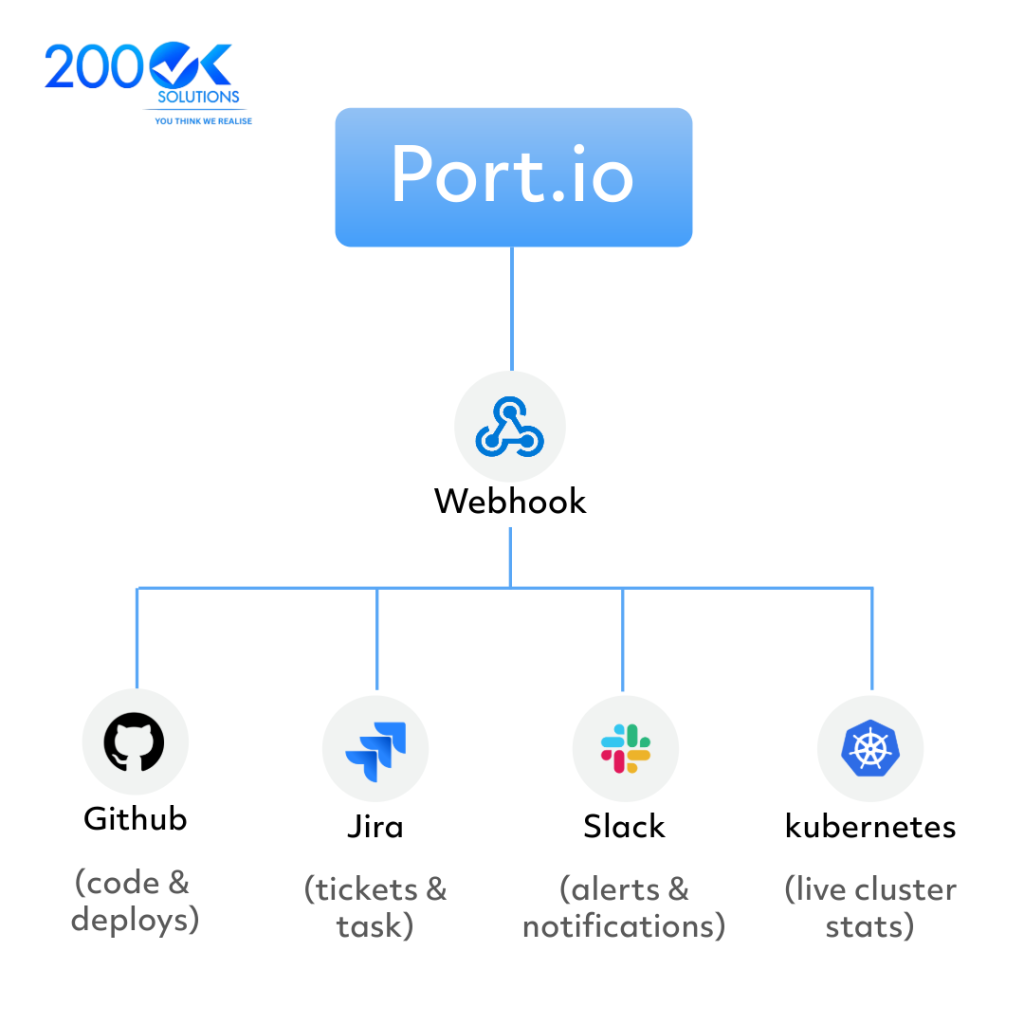
- Tooling is fragmented across GitHub, Kubernetes, Slack, and Jira
Port.io centralizes this into one developer portal. But the default setup only scratches the surface. Here is where the real value unlocks
Part 1: Scorecards : Enforcing Engineering Standards at Scale
Long-tail query this answers: “How to enforce engineering standards across microservices using Port.io scorecards”
What Scorecards Do
A Port.io Scorecard is a rules engine applied to your software catalog. You define what “good” looks like for a service, and Port scores every entity against those rules automatically.
Step-by-Step: Create a Service Readiness Scorecard
Step 1 : Define your rules in Port’s UI or API
Go to your Port catalog → select the Service blueprint → open the Scorecards tab.
Add a scorecard called Production Readiness with the following rules:
{
  "title": "Production Readiness",
  "rules": [
    {
      "title": "Has Owner",
      "identifier": "has_owner",
      "level": "Bronze",
      "query": {
        "combinator": "and",
        "conditions": [
          { "property": "owner", "operator": "isNotEmpty" }
        ]
      }
    },
    {
      "title": "Has Runbook",
      "identifier": "has_runbook",
      "level": "Silver",
      "query": {
        "combinator": "and",
        "conditions": [
          { "property": "runbook_url", "operator": "isNotEmpty" }
        ]
      }
    },
    {
      "title": "SLO Defined",
      "identifier": "has_slo",
      "level": "Gold",
      "query": {
        "combinator": "and",
        "conditions": [
          { "property": "slo_target", "operator": "isNotEmpty" }
        ]
      }
    }
  ]
}
Step 2 : Sync service metadata from GitHub
Add a port.yml to each repo:
identifier: payments-service
title: Payments Service
blueprint: service
properties:
  owner: payments-team
  runbook_url: <your payment runbook URL>
  slo_target: "99.9"
Step 3 : View scores across all services
Port will now display a Bronze / Silver / Gold score for every service. You get a real-time view of which teams are compliant and which are not, without manual audits.
Why this matters for leadership: Scorecards replace spreadsheet-based compliance reviews. You can tie promotion gates, incident reviews, or quarterly OKRs to scorecard levels.
Part 2: Self-Service Actions with GitHub Actions Backend
Long-tail query this answers: “How to create developer self-service actions in Port.io using GitHub Actions”
The Pattern
Port.io Actions trigger backend workflows. GitHub Actions is the most common backend. The flow is:
Developer clicks action in Port → Port sends webhook → GitHub Actions workflow runs → Port entity updated
Step-by-Step: Build a “Scale Kubernetes Deployment” Action
Step 1 : Define the action in Port
In Port UI → Self-service → Create Action:
{
  "identifier": "scale_deployment",
  "title": "Scale Deployment",
  "trigger": "DAY-2",
  "userInputs": {
    "properties": {
      "replicas": {
        "type": "number",
        "title": "Number of Replicas",
        "minimum": 1,
        "maximum": 20
      }
    },
    "required": ["replicas"]
  },
  "invocationMethod": {
    "type": "GITHUB",
    "org": "your-org",
    "repo": "platform-actions",
    "workflow": "scale-deployment.yml"
  }
}
Step 2 : Create the GitHub Actions workflow
File: .github/workflows/scale-deployment.yml

name: Scale Kubernetes Deployment

on:
  workflow_dispatch:
    inputs:
      port_payload:
        required: true
        type: string

jobs:
  scale:
    runs-on: ubuntu-latest
    steps:
      - name: Extract inputs
        id: parse
        run: |
          echo "replicas=$(echo '${{ inputs.port_payload }}' | jq -r '.payload.properties.replicas')" >> $GITHUB_OUTPUT
          echo "service=$(echo '${{ inputs.port_payload }}' | jq -r '.context.entity')" >> $GITHUB_OUTPUT

      - name: Configure kubectl
        uses: azure/k8s-set-context@v3
        with:
          kubeconfig: ${{ secrets.KUBECONFIG }}

      - name: Scale deployment
        run: |
          kubectl scale deployment/${{ steps.parse.outputs.service }} \
            --replicas=${{ steps.parse.outputs.replicas }} \
            -n production

      - name: Update Port entity
        run: |
          curl -X PATCH \
            "https://api.getport.io/v1/blueprints/service/entities/${{ steps.parse.outputs.service }}" \
            -H "Authorization: Bearer ${{ secrets.PORT_TOKEN }}" \
            -H "Content-Type: application/json" \
            -d '{"properties": {"replica_count": ${{ steps.parse.outputs.replicas }}}}'
Step 3 : Test the action
Go to Port → find your service entity → click “Scale Deployment” → enter replicas → submit. Watch GitHub Actions run. Watch Port update.
Real impact: This eliminates an ops ticket. A developer self-serves. The audit trail lives in Port and GitHub.
Part 3: Webhook Automation : Keeping Port in Sync
Long-tail query this answers: “How to automate Port.io catalog updates using webhooks from Kubernetes and GitHub”
Why You Need This
Port’s catalog goes stale if you don’t keep it synced. Every deploy, incident, or config change should reflect in Port automatically.
GitHub Webhook → Port Update
Set up a GitHub Actions step on every deploy:
- name: Notify Port on deploy
  run: |
    curl -X POST \
      "https://api.getport.io/v1/blueprints/service/entities" \
      -H "Authorization: Bearer ${{ secrets.PORT_TOKEN }}" \
      -H "Content-Type: application/json" \
      -d '{
        "identifier": "${{ env.SERVICE_NAME }}",
        "properties": {
          "last_deployed": "${{ env.DEPLOY_TIMESTAMP }}",
          "image_tag": "${{ env.IMAGE_TAG }}",
          "deployed_by": "${{ github.actor }}"
        }
      }'
Kubernetes Exporter for Live Data
Port provides a Kubernetes exporter that syncs live cluster state into your catalog:
helm repo add port-labs https://port-labs.github.io/helm-charts
helm install port-k8s-exporter port-labs/port-k8s-exporter \
  --set secret.secrets.portClientId=YOUR_CLIENT_ID \
  --set secret.secrets.portClientSecret=YOUR_CLIENT_SECRET
This pulls in live data: pod counts, replica status, namespace, resource limits, all visible in Port without manual input.
What Leadership Should Take From This
| Capability | Business Outcome |
| Scorecards | Automated compliance tracking; no manual audits |
| Self-service actions | Ops bottleneck eliminated; faster developer velocity |
| Webhook automation | Real-time catalog; accurate incident response |
The honest tradeoff: Port.io requires real setup investment. Blueprints, actions, and exporters need to be configured to match your specific stack. Out of the box, it is an empty shell. The value comes after thoughtful implementation.
FAQ
Q: Is Port.io only for large engineering teams?
A: No. Even teams of 10–20 developers benefit from self-service actions and a centralized catalog. The ROI scales with how many repetitive ops requests your platform team handles.
Q: How long does a Port.io implementation take?
A: A basic catalog with two or three self-service actions can go live in one to two weeks. Full scorecard coverage across all services with webhook automation typically takes four to eight weeks depending on your stack complexity.
Q: Can Port.io replace tools like Backstage?
A: Port.io is a hosted alternative to Backstage. It trades customization depth for faster time-to-value and lower maintenance overhead. If your team cannot dedicate engineering time to maintaining a Backstage instance, Port.io is often the better choice.
Q: Do we need Kubernetes to use Port.io?
A: No. Port.io works with any infrastructure. Kubernetes integration is one option, not a requirement.
Need Help Implementing Port.io?
Setting up Port.io correctly, catalog design, action wiring, scorecard strategy is where most teams get stuck. At 200OK Solutions, we specialize in platform engineering implementations that go from zero to production-ready, including Port.io rollouts built around your actual stack and team workflows.
You may also like : Platform Engineering Team Structure That Actually Works