

Generic prompts are a dead end.
If you’re pasting the same instructions into every Claude session, you’re leaving most of the productivity gain on the table. Claude Skills fix that. Since their launch in October 2025, they’ve become the dominant way serious development teams use Claude.
The core problem with prompt-only workflows: context doesn’t persist. Every session, you re-explain your stack, your conventions, your preferences. Skills solve this at the root. A Skill is a directory with a SKILL.md file, instructions and context that Claude loads automatically when relevant. Define it once. Claude uses it everywhere.
Since Anthropic published the Agent Skills open standard in December 2025, the ecosystem has grown to thousands of Skills. The problem now isn’t availability, it’s signal vs. noise. We spent eight weeks testing them in real projects. Here’s what we found.
How We Tested and Ranked Claude Skills
We integrated Skills into active client work across backend development, DevOps automation, and full-stack feature builds using Claude Code, the API, and claude.ai. Every Skill was evaluated against actual project code, not toy examples, across seven criteria: code quality, accuracy, speed, context understanding, productivity improvement, ease of setup, and real-world retention. A Skill that scores 9 in a tutorial and 4 in the field didn’t make this list.
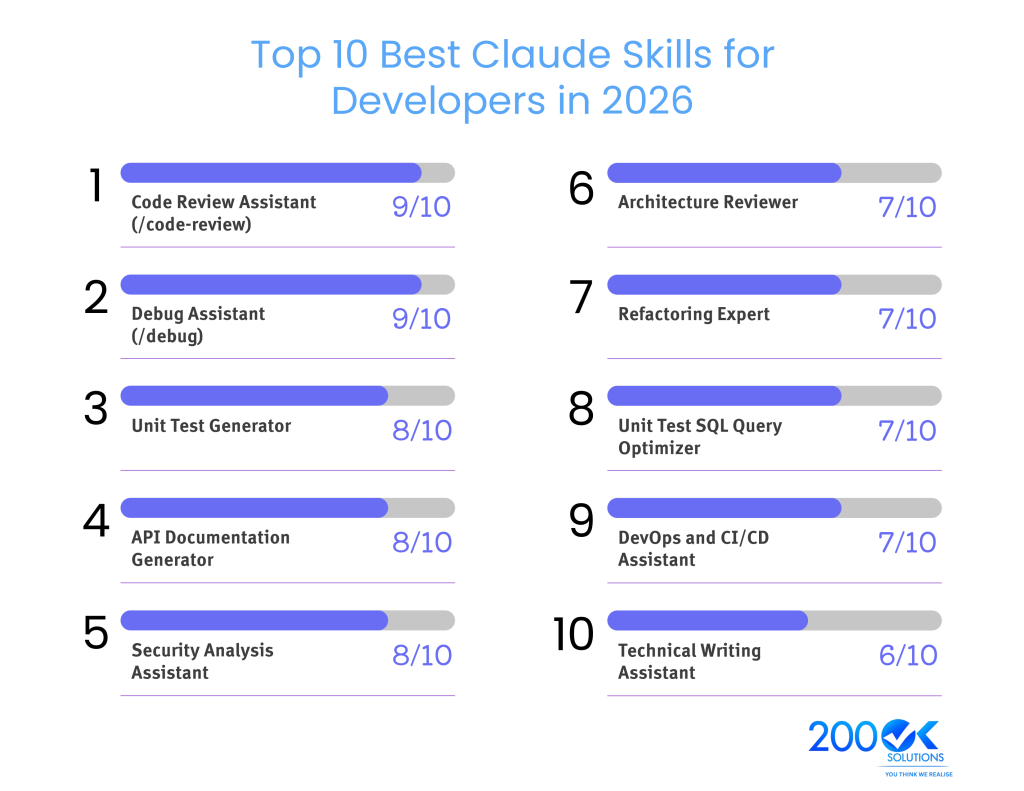
Top 10 Best Claude Skills for Developers in 2026
1 : Code Review Assistant (/code-review), Rating: 9/10
Bundled into Claude Code with zero setup. Reviews your code for logic errors, edge cases, security anti-patterns, and style inconsistencies in a single pass. Use it before every PR. It understands your project context through CLAUDE.md and consistently catches issues before human reviewers see them. Doesn’t replace senior architectural judgment, and can over-flag style in projects with no enforced linter.
Verdict : The highest-ROI Skill available. Use it on every PR.
2 : Debug Assistant (/debug), Rating: 9/10
Also bundled into Claude Code. Gives Claude a structured diagnostic process, reproducing the issue, isolating the cause, proposing targeted fixes. Works alongside /run and /verify for live app testing. Less effective without good error logs, and slower than a quick prompt for trivial bugs.
Verdict : Essential for anything beyond surface-level issues.
3 : Unit Test Generator, Rating: 8/10
A custom Skill you build once using your framework conventions and example test files. After setup, any developer gets consistently structured tests for new modules without fixing style or structure. Tests still need domain review, Claude doesn’t know your business logic.
Verdict : High setup payoff. Build it once, the whole team benefits.
4 : API Documentation Generator, Rating: 8/10
Instructs Claude to produce API docs in your chosen format, OpenAPI, Markdown, Confluence, directly from your code. Eliminates the documentation backlog. Output quality depends on code comment quality, and you’ll need example files to nail your format.
Verdict : Fixes one of development’s most neglected workflows.
5 : Security Analysis Assistant, Rating: 8/10
Loads your security requirements and reviews code for injection risks, authentication gaps, insecure deserialization, and OWASP Top 10 issues. Most valuable as a pre-release checklist item for security-critical paths. Not a substitute for a full security audit on high-stakes systems.
Verdict : The cost of one missed vulnerability is higher than the setup time.
6 : Architecture Reviewer, Rating: 7/10
Encodes your architecture principles and evaluates new designs against them. Scales architectural review to junior developers and catches misalignments before design meetings. Only as good as the principles you define, can’t evaluate operational concerns without being given that context.
Verdict : High leverage for growing teams.
7 : Refactoring Expert, Rating: 7/10
Defines your refactoring rules, extract method thresholds, complexity limits and guides Claude through surgical, scoped refactors without touching unrelated code. Needs clear success criteria or it may over-refactor.
Verdict : Solid for teams managing technical debt.
8 : SQL Query Optimizer, Rating: 7/10
Loads your schema and indexing conventions, then diagnoses and rewrites slow queries. Effective for finding missing indexes and rewriting N+1 patterns. Needs your schema as a supporting file to deliver real value, treats EXPLAIN ANALYZE as an input, not a substitute.
Verdict : High value for data-heavy applications.
9 : DevOps and CI/CD Assistant, Rating: 7/10
Encodes your infrastructure conventions and generates pipeline configs, Dockerfiles, and IaC that match your actual standards, not generic templates. Hard to fully capture infrastructure context without good supporting files.
Verdict : High value for teams that frequently spin up new services.
10 : Technical Writing Assistant, Rating: 6/10
Encodes your documentation voice, structure, and templates so Claude produces consistent content at scale. Useful for post-mortems, runbooks, and READMEs. Still needs domain expert review for accuracy.
Verdict : Strong for docs-heavy teams, lower ROI for everyone else.
The Easiest Way to Create a Claude Skill
Open Claude and type exactly this:
Step 1: Ask Claude to create the folder
“Create a skills folder for me at ~/.claude/skills/my-skill”
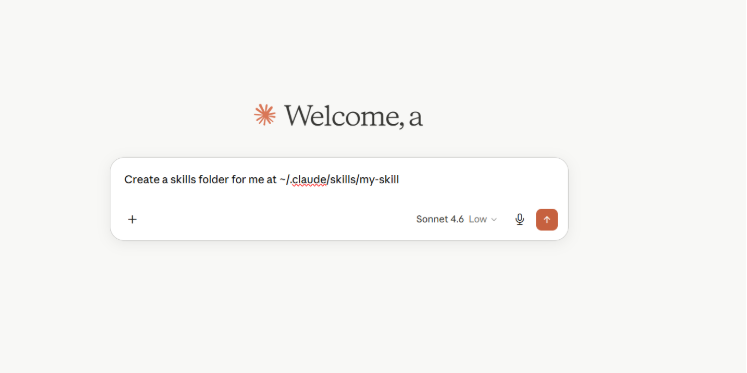
Step 2: Ask Claude to write the SKILL.md
“Write a SKILL.md file for a code review skill that checks for bugs, security issues, and style problems”
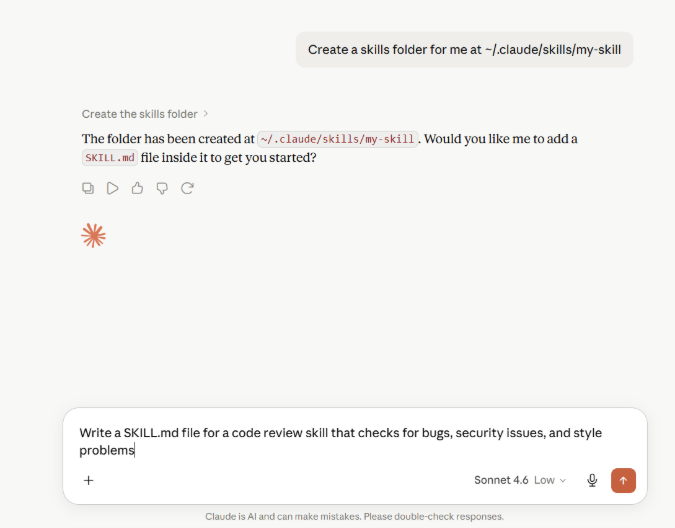
Step 3: Ask Claude to save it
“Save this as ~/.claude/skills/code-review/SKILL.md”
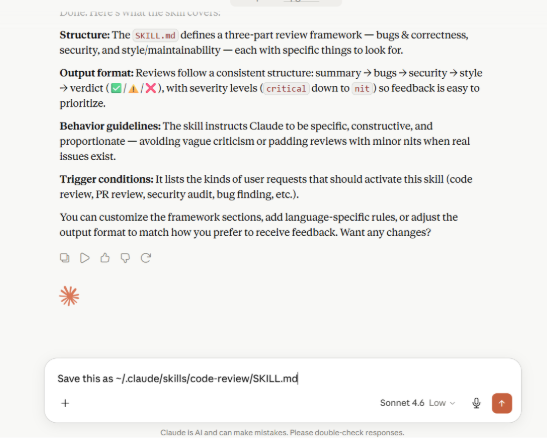
Step 4: Test it
Type in Claude Code:
/code-review
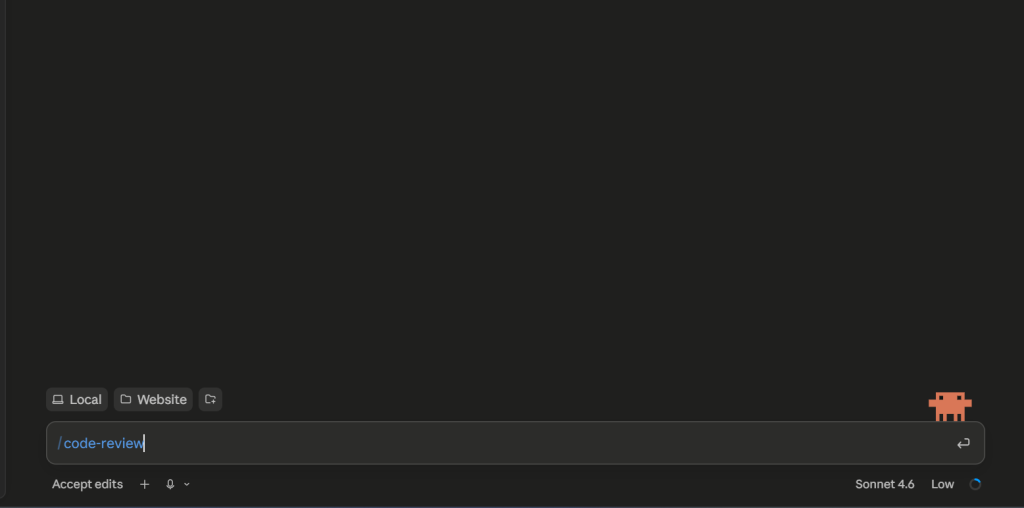
That’s the whole process. Claude writes the skill, saves it, and it’s ready to use, you don’t touch a single file manually.
Expert Insights from 200OK Solutions
The shift happening now is from AI-as-assistant to AI-as-specialist. The teams seeing the biggest productivity gains aren’t the ones using Claude most, they’re the ones who invested time defining how Claude should work within their specific context. A generic “review my code” prompt gets a generic review. A /code-review Skill backed by your security requirements and naming conventions gets one that’s actually actionable.
Looking ahead: the Agent Skills open standard means Skills you build for Claude can run in other compliant tools. Composable multi-Skill workflows are already possible. And the Q1 2026 Skills 2.0 update added executable scripts, Skills that run your test suite or query your database are now standard practice.
FAQ
Q. What are Claude Skills?
Reusable packages, a directory with a SKILL.md file containing instructions and context. Claude loads them automatically or you invoke them with /skill-name. Works across Claude Code, the API, and claude.ai.
Q. Are Claude Skills free?
Bundled Skills in Claude Code are included with all access. Custom Skills have no additional cost. Pre-built Anthropic Skills are available on all plans; some features require code execution to be enabled.
Q. Which Skill is best for coding?
/code-review and /debug for immediate impact. Unit Test Generator or Security Analysis for higher sustained value in specific workflows.
Q. Can Skills replace developers?
No. They eliminate repetitive work and enforce consistency, but architecture decisions and domain judgment remain human responsibilities.
Q. How do I create a custom Skill?
Create a directory at ~/.claude/skills/skill-name/ with a SKILL.md file. Claude Code picks it up automatically. Full documentation at code.claude.com/docs/en/skills.
Q. Can I share Skills with my team?
Yes. Commit the Skill to your repo’s .claude/skills/ directory. Enterprise and Team admins can deploy Skills workspace-wide.
You may also like : I Let GitHub Copilot Write My Laravel Code for 30 Days Here’s the Honest Truth