A centralized intranet portal fostering employee collaboration, engagement, and information sharing with integrated tools and dynamic content.

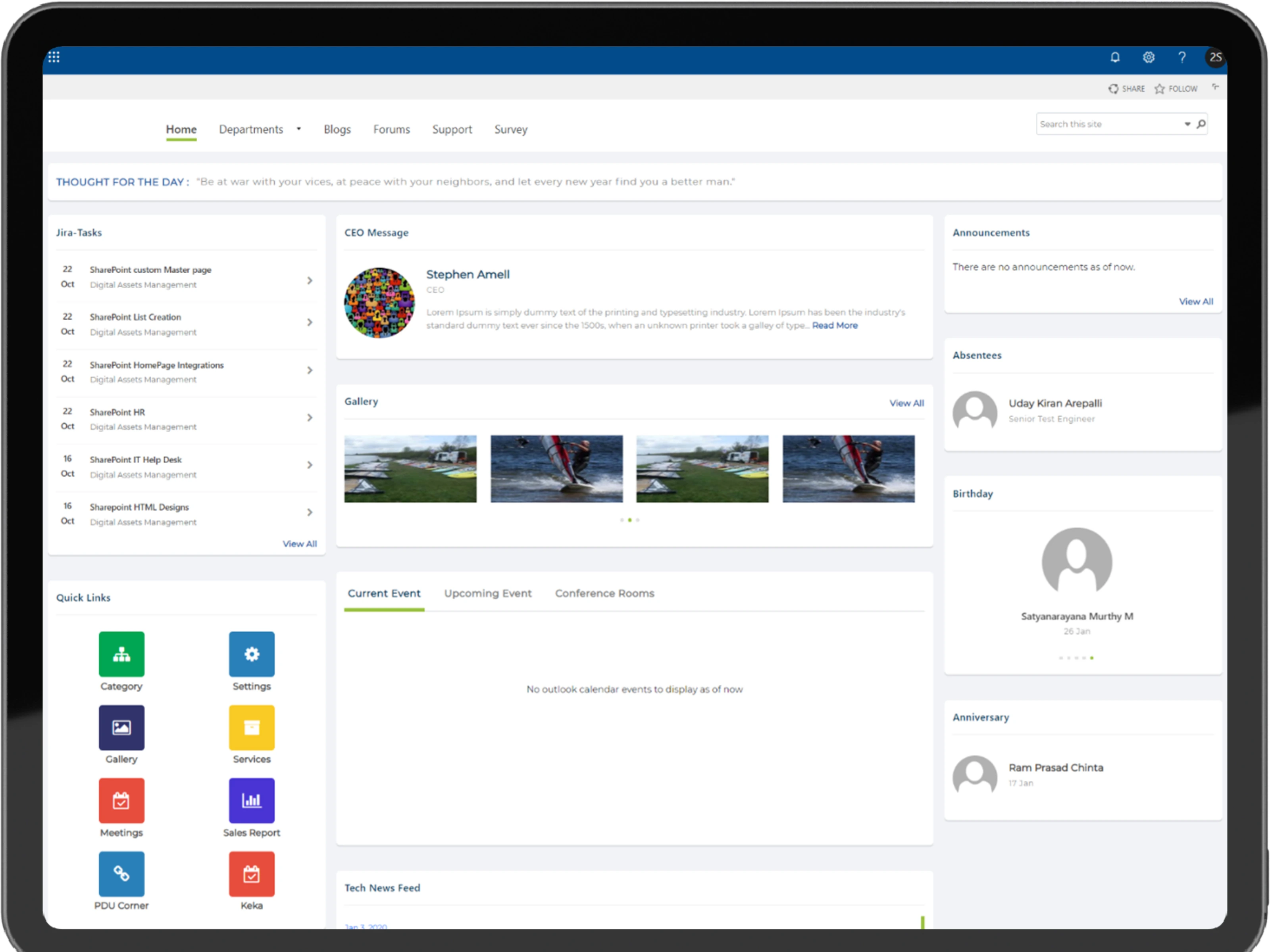
Displays the latest activities, notices, and updates. Offers quick links for easy navigation and a trend section for market updates.

Publishes policies, financial documents, job openings, announcements, and image galleries. Centralizes critical HR-related information for employee self-service.

Facilitates easy access to contact details and hierarchical information for all employees, reducing the need for multiple lookups.

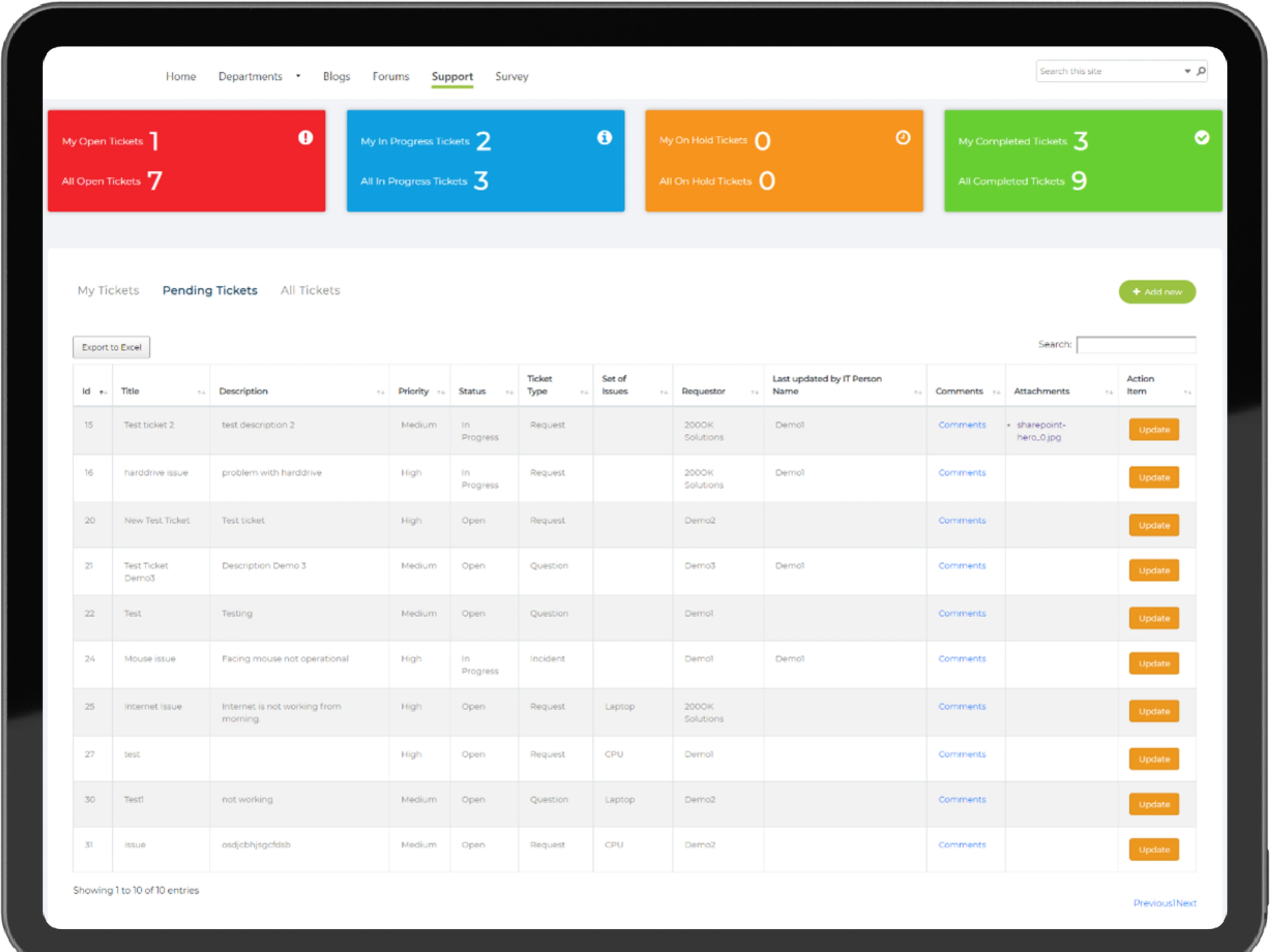
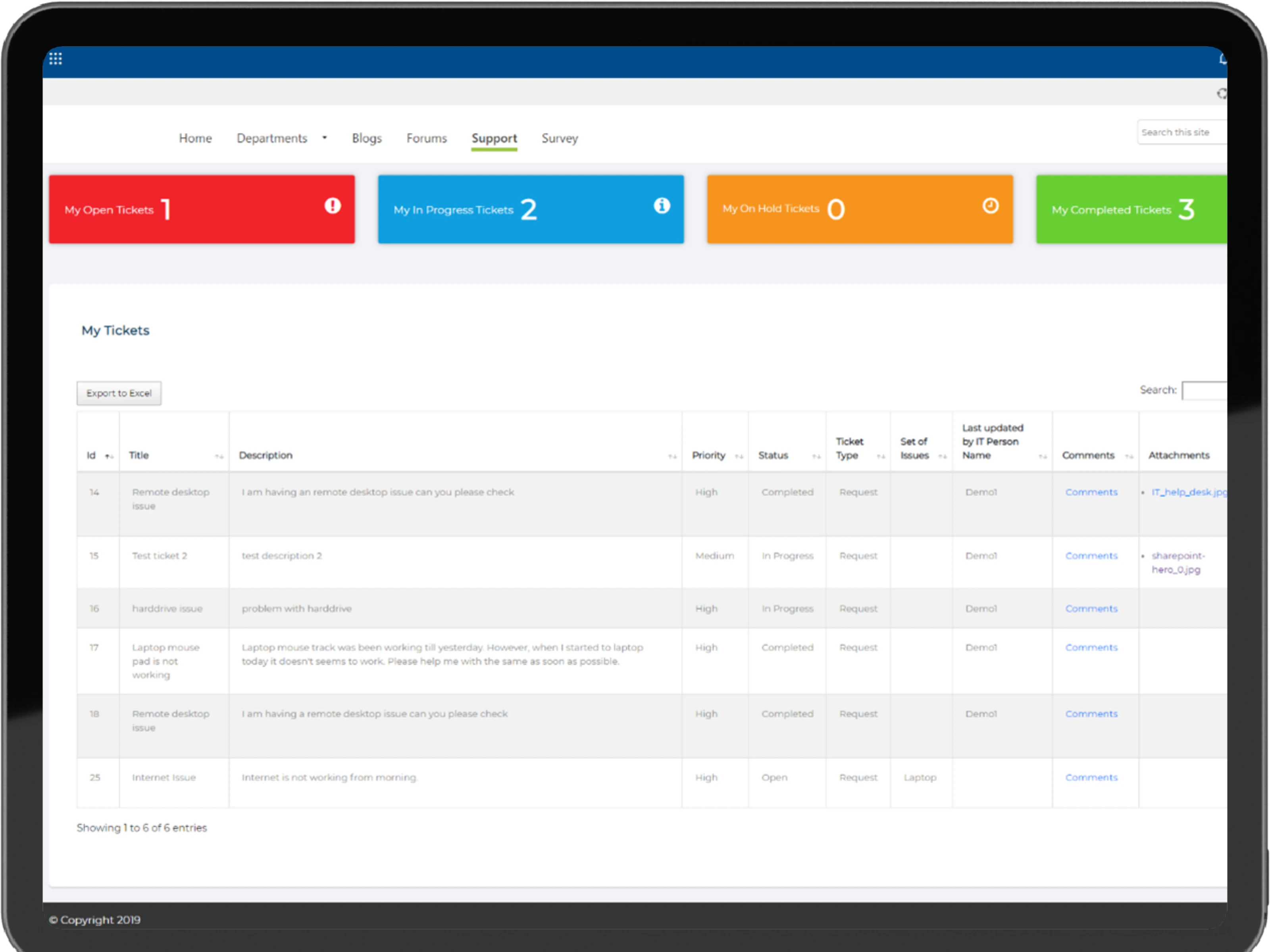
Allows employees to raise and resolve technical issues with an approval hierarchy and attachment support, ensuring swift resolution.

Blogs and forums enable knowledge sharing and discussions, featuring recognition badges to encourage community participation.

Outlook integration for scheduling and tracking meetings and events, creating a seamless workflow for planning and attendance.
1
Fetching data from JIRA and KEKA for task assignments and employee directory updates, ensuring accurate, real-time synchronization.
2
Ensuring seamless updates for booked events in Outlook, enabling automated calendar and reminder functions.
3
Streamlining approval workflows for PDU submissions and survey notifications, reducing bottlenecks.
4
Dynamically fetching images from multiple categories for the gallery, requiring intuitive content organization.

Organized into seven sections: Home, HR, Employee Directory, Ticketing System, Blogs, Surveys, and Forums, ensuring clear structure and ease of use.
Quick links and user-specific data representation help employees find relevant information, promoting effective knowledge sharing.
Automated data synchronization and task updates across platforms, reducing manual input and potential errors.
Recognition systems for blogs and forums, announcements, and events to boost employee participation.
Integrated blogs, forums, and surveys facilitated knowledge sharing and employee recognition, fostering a culture of collaboration and active participation across the organization.
Automated approval processes and task updates with JIRA and Outlook integration reduced manual tasks, accelerating decision-making and boosting productivity.
Role-based access and centralized data management ensured secure, real-time access to organizational information, minimizing data silos and enhancing transparency.
A unified platform for data and process management, reducing silos and improving overall accessibility within the organization.
Blogs, forums, and surveys fostered a culture of sharing and recognition, boosting employee morale.
Features like market trends, birthdays, anniversaries, and leave statuses keep employees informed and engaged.
Automated task approvals and notifications reduced manual intervention, leading to faster decision-making and higher productivity.
A centralized hub for managing intranet content, user access, and workflows effortlessly. Offers real-time analytics, task tracking, and customizable settings to streamline administration and enhance overall operational efficiency.
The SharePoint Intranet Portal demonstrates the power of technology in building cohesive, collaborative work environments. By integrating leading tools, automating processes, and enhancing user experience, the portal has transformed communication, streamlined workflows, and boosted organizational efficiency.
Contact Us