

1. Introduction
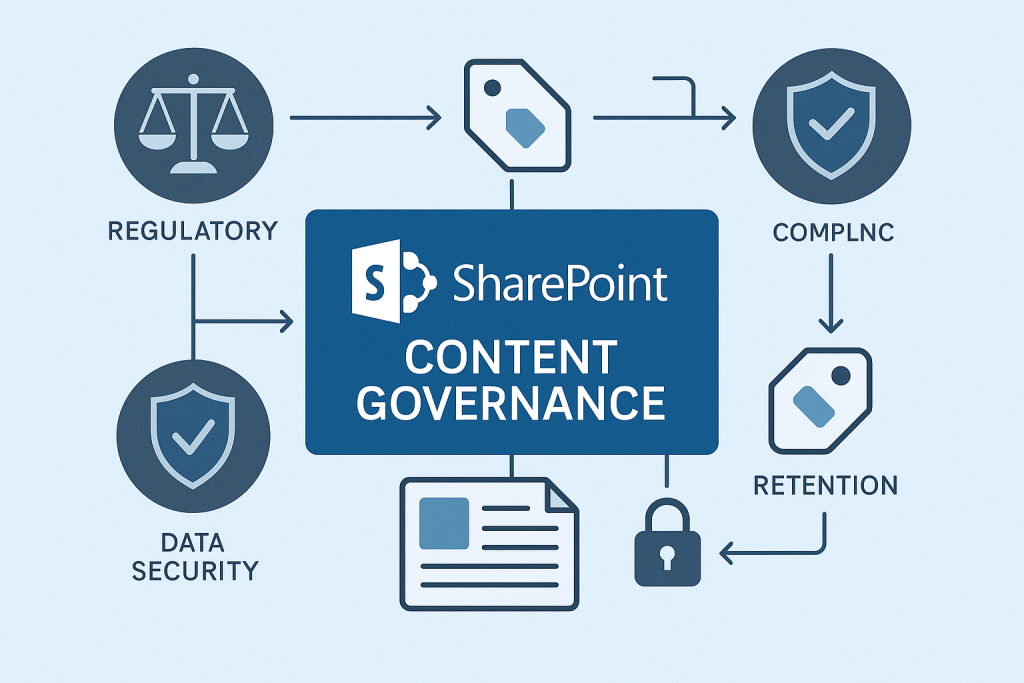
Content governance in SharePoint refers to the strategic framework of policies, roles, responsibilities, and processes that control how information is created, stored, accessed, and managed within the SharePoint environment.
In today’s compliance-driven world, organizations face increasing pressure to maintain strict control over digital content to meet legal, industry, and internal requirements. SharePoint governance and SharePoint compliance are vital components in ensuring regulatory readiness and operational efficiency.
2. Why SharePoint Needs Effective Governance
Without a solid SharePoint governance plan, organizations face common challenges like content sprawl, inconsistent permissions, and poor user adoption. These issues not only disrupt workflows but can also lead to non-compliance risks, including:
- Data breaches due to poor access control
- Loss of audit trails
- Failure to meet SharePoint regulatory compliance mandates
An optimized SharePoint information architecture enables better content organization and governance, minimizing these risks.
3. Core Elements of SharePoint Governance
To implement robust governance, organizations must establish the following core elements:
Roles and Responsibilities
Define ownership and accountability for site collections, content types, and permissions.
Policies and Procedures
Enforce document lifecycle rules, metadata standards, and version control protocols.
Following SharePoint governance best practices ensures consistency, minimizes chaos, and promotes compliance.
4. Building a SharePoint Compliance Checklist
Creating a SharePoint compliance checklist helps organizations proactively address regulatory obligations. Here’s a step-by-step guide:
- Inventory your data – Know what’s stored and where.
- Classify content types – Apply appropriate labels and retention policies.
- Establish permission protocols – Grant least-privilege access.
- Enable auditing and monitoring – Track user activity for accountability.
- Integrate with DLP tools – Prevent unauthorized sharing or leaks.
Don’t forget to align your strategy with your SharePoint data retention policy to maintain control over sensitive information.
5. Tools & Features in SharePoint Supporting Compliance
Microsoft SharePoint offers several built-in features to support SharePoint compliance management, including:
- Retention Policies: Automate content retention or deletion based on compliance rules.
- eDiscovery and Auditing: Identify and hold content for legal cases or internal investigations.
- Labeling and Classification: Tag documents for sensitivity, retention, or legal requirements.
Leveraging these tools reduces the manual workload and strengthens your compliance posture.
6. Creating a SharePoint Governance Plan
A solid SharePoint governance plan outlines your approach to ongoing content control. Key components of an effective plan include:
- Governance objectives and scope
- Policy documentation
- Communication and training plans
- Periodic audits and improvements
Consider using Microsoft’s governance templates or third-party governance tools to accelerate deployment.
7. Case Studies or Real-World Examples
Healthcare
A hospital used SharePoint to ensure HIPAA compliance by applying strict metadata tagging and auditing access logs.
Finance
A financial institution implemented labeling policies and eDiscovery tools in SharePoint to meet SOX and GDPR regulations.
These implementations led to a 40% reduction in compliance incidents over 12 months.
8. Conclusion & Next Steps
Implementing effective content governance in SharePoint offers clear benefits: stronger compliance, better content control, and reduced organizational risk.
Next step? Conduct an audit of your current SharePoint setup and begin developing your governance and compliance strategy today.
9. FAQs
What is a SharePoint governance plan?
A structured framework that defines roles, policies, and tools used to manage SharePoint content and usage effectively.
How to ensure regulatory compliance in SharePoint?
By implementing retention policies, access controls, auditing, and using a SharePoint compliance checklist aligned with relevant regulations.
What are the best practices for SharePoint content governance?
Define clear roles, classify data, enforce retention, conduct regular audits, and train users on governance policies.
Ensure Regulatory Compliance with SharePoint—Partner with 200OK Services
200OK Solutions empowers businesses to meet strict compliance standards with expert SharePoint content governance services. From retention labeling to DLP policies and audit readiness, we help you streamline governance and stay ahead of regulatory demands. Get your compliance strategy aligned—contact us today!

What’s the Real ROI of SharePoint Syntex for Your Organisation?
Get a practical ROI calculator + implementation checklist used by enterprises to modernize SharePoint with AI, without trial-and-error.
