Requirements :
- Laravel v 5.5 or above is required.
- Composer is installed on your system. You may get Composer here if you don’t already have it.
Step 1: Install the Laravel App
- The first step is to construct a Laravel website. We’ll use Composer to set it up. Check out the official Laravel documentation for more installation options.
$ composer create-project laravel/laravel custom-package --prefer-dist
$ cd custom-package
$ php artisan key:generate
Step 2: Project Structure
- PHP Composer is used to update dependencies and publish packages. A Composer is a tool for dependency management in PHP.
- Before creating the composer.json file, create the below folders inside your Laravel project
├── packages
│   └── test
│       └── custom_package
│           ├── src
Step 3: Create Composer File
- Use the below command to generate composer.json
$ composer init
- The composer.json file should now look like this.
{
   "name": "test.php/custom_package",
    "description": "custom package",
    "authors": [{
       "name": "customTest"
  }],
    "require": {}
}
- Let us begin with autoloading the newly created package via the autoload block and add that code in composer.json.
"autoload": {
    "psr-4": {
     	"test\\custom_package\\": "src/"
    }
 }
Step 4: Adding Routes.php File
- This will be accomplished by creating new routes.php in the package src dictionary, you can simply copy and paste the below-shown also.
- After this include the routes.php file inside the boot() method of the service provider’s boot method.
Route::get('cus', function(){
        echo 'Hello From Custom Package!';
    });
 public function boot(){
	  include __DIR__.'/routes.php';
    }
Step 5: Add Package Service Provider
- At the root of our app, let’s create our ServiceProvider with an artisan command via the command line.
$ php artisan make:provider CustomServiceProvide
- After its process is completed, you’ll find a new file located at:
- app/Providers/CustomServiceProvider.php
- The next step will include moving this file into the package folder, the location will be:
- packages/test/custom_package/src/CustomServiceProvider.php
- Don’t miss out on changing your namespace to be:
- Next, the last step of this pointer will be the addition of a new service provider in the large bracket – [] array mentioned in config/app.php:
providers' => [
        App\Providers\RouteServiceProvider::class,
        App\packages\test\custom_package\src\CustomServiceProvider::class,
    ],
Step 6: Create a Package controller
$ php artisan make:controller CustomController
- After its process is completed, you’ll find a new file located at:
- app/Http/Controllers/CustomController.php
- The next step will include moving this file into the package folder, The location will be:
- packages/test/custom_package/src/CustomController.php
<?php
namespace App\Package\test\custom_package\src;
use App\Http\Controllers\Controller;
class CustomController extends Controller
{
   public function add($a, $b){
     echo $a + $b;
    }
    public function subtract($a, $b){
    echo $a - $b;
    }
}
- Now that we have created our controller, we will need to register it. Inside our Service Provider class in the register() method.
public function register(){
    $this->app->make('packages\test\custom_package\src\CustomController');
}
- Finally, let’s add a few more routes to our routes.php file
Route::get('add/{a}/{b}',
'packages\test\custom_package\src\CustomController@add');
Route::get('subtract/{a}/{b}',
'packages\test\custom_package\src\CustomController@subtract');
$ php artisan serve
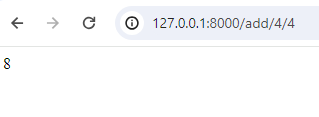
- Then, if we navigate to http://127.0.0.1:8000/add/4/4 and
http:/127.0.0.1:8000//subtract/8/4 We end up with the following results!